
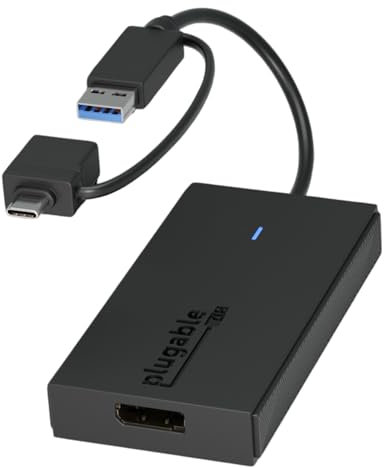
Plugable USB to DisplayPort Adapter - Connect via USB-C or USB 3.0 to Add a 2560x1440 Display – Compatible with Mac M1/M2/M3/M4, Windows, and ChromeOS
Price comparison

free shipping | 1-2 Days
go to shop

free shipping
go to shop

$ 49.95
free shipping
go to shop

$ 49.95
free shipping
go to shop

$ 49.95
free shipping
go to shop
Product description
- Expand Your Screen on Any Mac: Add a second monitor to your Mac, even if it’s an M1, M2, or M3 system that normally supports only one external display. The Plugable USB to DisplayPort Adapter delivers resolutions up to 2560x1440 @ 60Hz. Please note: this adapter does not support playback of HDCP-protected content like Netflix or Hulu.
- Hybrid USB-C and USB-A Compatibility: With a built-in 2-in-1 connector, this adapter plugs into either a USB-C or USB 3.0 Type-A port. It's compatible with USB4, Thunderbolt 3, 4, and 5 ports, and even works on USB-C systems without Alt Mode, making it an ideal solution for connecting your DisplayPort monitor to virtually any USB 3.0 enabled device.
- Expand Your Workspace: Add extra monitors with this Display Port to USB Adapter. Use multiple adapters to connect up to eight 1440p displays on Windows or ChromeOS, and up to four on macOS (one 1440p display per adapter) perfect for multitasking or professional setups.
- Compatibility: Works with Windows 10/11, macOS 10.14 and newer (including M1-M5), and ChromeOS 100+. Uses Silicon Motion (SMI) drivers to power display output. Windows installs drivers automatically via Windows Update. macOS requires a simple one-time InstantView download. Please note: This adapter is not compatible with DisplayLink drivers or solutions.
- Plugable Support & 2-Year Coverage: This adapter is backed by Plugable’s award-winning US-based support team and a 2-year coverage. We’re here to help if you have questions or need assistance with setup or compatibility.
You might also be interested in these displayport adapters.
18% off

BENFEI 4K DisplayPort to HDMI Adapter, Uni-Directional DP 1.2 Computer to HDMI 1.4 Screen Gold-Plated DP Display Port to HDMI Adapter (Male to Female) Compatible with Lenovo Dell HP and Other Passive
COMPACT DESIGN: The BENFEI DisplayPort to HDMI adapter connects a computer, laptop or devices with DisplayPort to a monitor, projector, TV with HDMI port; Tuck this lightweight gadget into pocket to do a presentation, extend your desktop to a monitor or TV.
$ 8.99
free shipping
more details
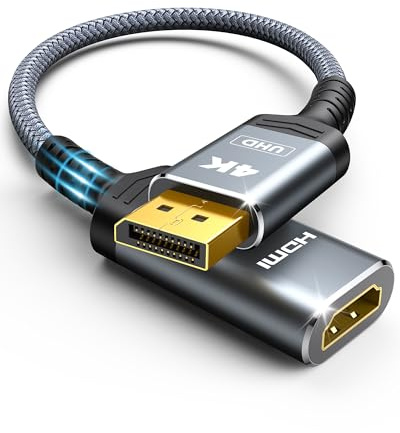
Highwings 4K Display Port to HDMI Adapter, Uni-Directional DP 1.2 Computer to HDMI 2.0 Screen, DisplayPort to HDMI Adapter (Male to Female), SR Anti-Break, No Latch, for Dell HP AMD NVIDIA, Passive
4K UHD and AUDIO SYNC: Supports up to 4K@30Hz resolution with backward compatibility for 1440P/2K@60Hz and 1080P Full HD. (BE SURE to NOTE: The product is passive. Also, Dock-stations are not supported) Ensures synchronized high-definition audio and video for an immersive streaming or gaming experience
$ 8.99
free shipping
more details
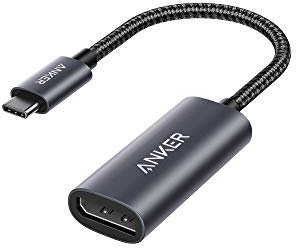
Anker USB C to DisplayPort Adapter for Home Office (4K@60Hz), PowerExpand+ Aluminum Portable USB C Adapter, for MacBook Pro, MacBook Air, iPad Pro, XPS 15/13, Spectre, Surface, and More
The Anker Advantage: Join the 65 million+ powered by our leading technology.
$ 22.99
free shipping
more details
25% off

Moread DisplayPort (DP) to VGA Adapter, Gold-Plated Display Port to VGA Adapter (Male to Female) Compatible with Computer, Desktop, Laptop, PC, Monitor, Projector, HDTV - Black
COMPACT DESIGN: The portable Moread DP to VGA adapter connects a desktop or laptop with DisplayPort (DP, DisplayPort++, DP++) port to a monitor, display, projector, or HDTV with VGA input; Tuck this lightweight gadget into your bag or pocket to make business presentation, or extend your workspace to increase productivity; A VGA cable is required (sold separately)
$ 5.99
free shipping
more details
10% off

4K DisplayPort to HDMI Adapter 2-Pack,24K Gold Plated Uni-Directional Display Port DP to HDMI Passive Adapter Compatible for HP, HDTV, AMD, NVIDIA,Dell, GPU,Projector, PC,Desktop
◆【4K UHD Ultra High Definition】The displayport to hdmi adapter 4K supports video resolutions up to 3840x2160p@30Hz,The dp to hdmi adapter expands your computer’s screen onto an HDTV or HD display. View your favorite movies, TV shows, your photo collection in full HD.Backward compatible with 2K 1440p@60Hz, 1080p@120Hz. HDCP 2.2 Compliant.
$ 5.39
free shipping
more details
29% off
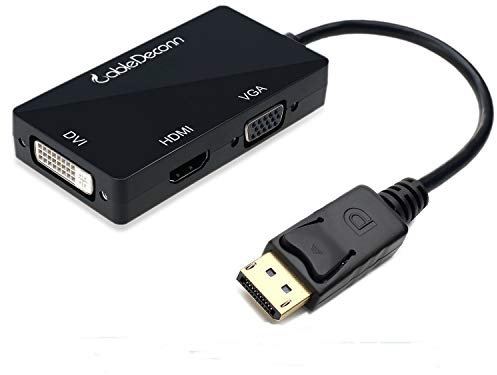
CableDeconn Multi-Function Displayport Dp to HDMI/DVI/VGA Male to Female 3-in-1 Adapter Converter Cable
Connects a DisplayPort DP equipped laptop or desktop to an HDTV, monitor, or projector with HDMI/DVI/VGA; Only supports 1 display output at a time,An HDMI/DVI/VGA cable (sold separately) is required,Note: Not compatible with USB ports
$ 12.09
free shipping
more details
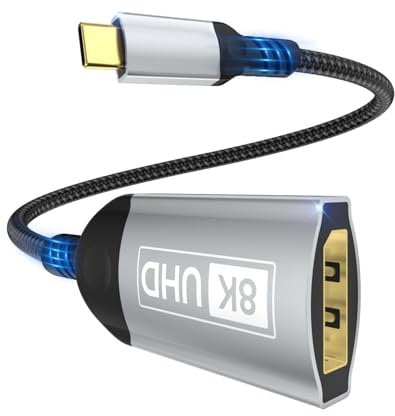
Nersligek USB C to DisplayPort Adapter, 8K Type-C Male to DisplayPort 1.4 Female, 8K@60Hz, 4K@144Hz, 4K@120Hz Dynamic HDR Thunderbolt 4/3 to Display Port for iPhone 16/15Series, MacBookPro, Galaxy S24
【8K HDR DisplayPort to USB C Adapter】 8K HDR Display Port to USB C adapter supports up to 8K (7680 x 4320@60Hz), backward compatible with 5K and 4K resolution. No Flickering Gaming Experience to get 144Hz & 240Hz. USBC to Display Port adapter supports Multi-Stream (MST) for daisy chaining multiple monitors and also supports precision audio for a full range of audio types, including SACD, DVD-Audio, DTS-HD Master Audio, and Dolby TrueHD(Note : Uni-directional, only from USB C input to DisplayPort output)
$ 8.99
free shipping
more details
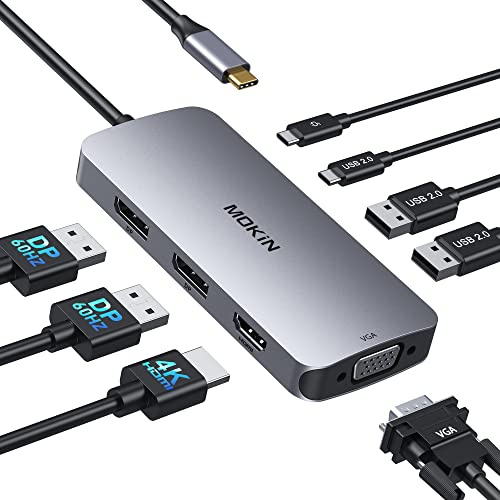
USB C Docking Station Dual DisplayPort, 8 in 1 USB Hub with 2 DP, HDMI, VGA, USB C 2.0, A 2.0, PD Charging Port, Multi Monitor Adapter for Dell/HP/Lenovo Laptops
【8 IN 1 USB C Docking Station】USB C Docking Station Dual DisplayPort with 2 DP (4K@60Hz), HDMI (4K@60Hz), VGA (1080P@60Hz), USB C 2.0, 2 USB A 2.0, and a PD Charging Port (MAX 100W). Please note: If you use it to connect to a Macbook, it only supports mirror mode, does not support extended mode, no matter how many monitors you connect
$ 38.99
free shipping
more details
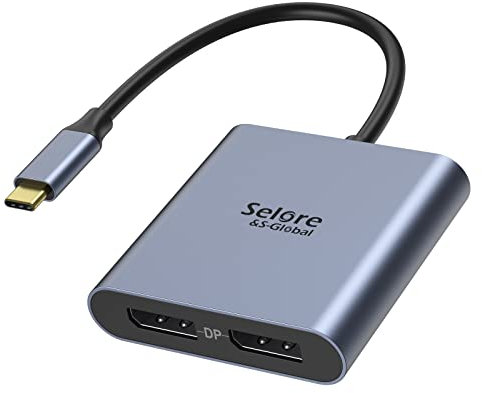
USB-C to Dual 4K DisplayPort Splitter Adapter, USB-C to DisplayPort Dual Monitor Converter 4K 60Hz, USB-C DisplayPort Hub Compatible for Dell XPS 13/15, Lenovo Yoga, Samsung Chromebook, HP and More
USB-C to Dual DP Ports Adapter 2 in 1: For macOS: MIRROR MODE only. For Windows: Supports dual extended mode (MST) via USB-C with DP Alt Mode / Thunderbolt 3. Correct setup: Connect monitors FIRST, then adapter to laptop. NOT compatible with any KVM switch. Connect adapter directly to laptop. HP laptop users: Update graphics driver & BIOS before use (especially EliteBook/ProBook).
$ 35.99
free shipping
more details
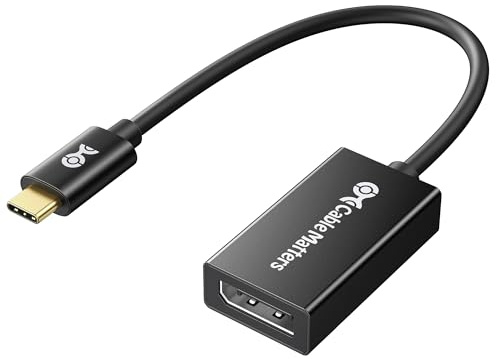
Cable Matters 32.4Gbps Unidirectional USB C to DisplayPort 1.4 Adapter, 4K@240hz, 8K@60hz, and HDR Support - Thunderbolt 4 / USB4 Compatible with iPad Pro, iPhone 16/15 Pro, MacBook, XPS, Surface
USB-C to DisplayPort adapter in aluminum housing connects a computer or smartphone with a USB Type-C or Thunderbolt 5/4/3 port to a monitor with DisplayPort input; USB C to DisplayPort adapter requires DisplayPort Alternate Mode support to view video over USB-C. Enjoy all of the DisplayPort 1.4 features this DisplayPort to USBC adapter can offer
$ 19.99
free shipping
more details
12% off

BENFEI DisplayPort to DVI 6 Feet Cable, DisplayPort to DVI Adapter Male to Male Gold-Plated Cord Cable for Lenovo, Dell, HP and Other Brand
EXCELLENT TRANSMISSION: Benfei DisplayPort to DVI 1.8 Meter Cable utilizes better chip solution and professional multiple shielding for instaneous and accurate data streaming.
$ 7.95
free shipping
more details
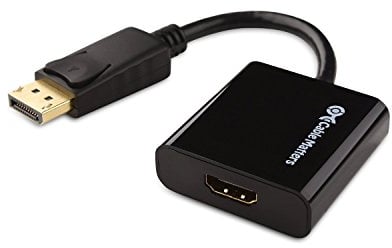
Cable Matters Active DisplayPort to HDMI Adapter (Active DP to HDMI Adapter) Supporting Eyefinity Technology and 4K Resolution
Portable DisplayPort to HDMI active adapter connects a DisplayPort (DP, DP++, DisplayPort++) equipped laptop or desktop to an HDTV, monitor, or projector with HDMI input; An HDMI cable (sold separately) is required for this DP to HDMI adapter
$ 17.99
free shipping
more details